I’m experiencing a Time synchronization issue in RTMaps while fusing Camera, LiDAR, Bounding Boxes, and ClassID data. The Bounding Boxes, and ClassID timestamps are synchronized as they from same GT Camera, but the LiDAR timestamps consistently differ by approximately 450–700 ms. I have set the synchronization tolerance to 700 ms but yet the overlay is not good. Could this be due to different timestamp sources/clocks, or is there another synchronizer setting that I should check?
Hi resynchronizer is hopeful for your use case.
The component syncs physical issued time of multiple inputs which are issued in different physical time.
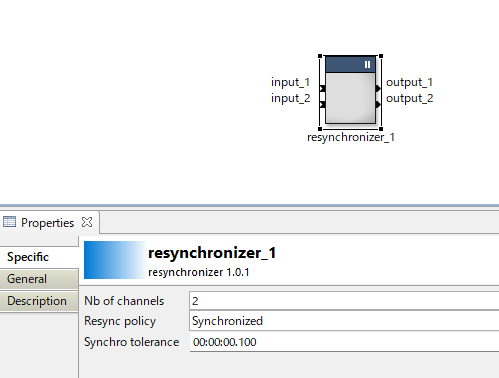
I am trying to project LiDAR points onto camera images and achieve a pixel-accurate overlay. The LiDAR and camera each have their own hardware clock, so their timestamps are generated from different clock domains. As a result, there is both an initial timestamp offset and clock drift over time. Their update rates are nearly identical, so the relative offset changes slowly, but the timestamps are not synchronized.
When the vehicle is stationary, the overlay appears accurate. However, once the vehicle moves at around 30 km/h, the overlay degrades, suggesting that even small timing errors become significant due to the vehicle’s motion.
What is the recommended approach for synchronizing these sensors to achieve pixel-accurate projection? Should I estimate and compensate for the initial offset and clock drift, or is there a better synchronization strategy for sensors with independent clocks? Any advice or references would be greatly appreciated.
Hi your issue related to time management and ego-motion.
-
time management
Basically, the timestamps for each sensors should be sourced from accurate time origin i.e. GNSS, and the sensos should be triggered by synchronous pulse.
When your vehicle system have no such high-precise sync-system, physical arrival time as software timestamp in RTMaps may be the closest between the sensors for overlaying. -
3D ego-motion correction function is supported by my commercial toolkit.
SMSL Point Cloud Processing Toolkit – Intempora
If you have interest in the toolkit, You can ask Intempora to purchage my product.